


Client approval
without an account.
Your clients approve drafts through a personal link. No registration, no password, no installation. Open the link, review in the browser, decide with one click.
How the approval works.
In four steps.
You upload images, PDFs, videos or Office files and review them internally with your team first.
You enter your client’s email address. CLAPPO sends them a personal link.
One click on the link opens the project. No registration, no password, no installation.
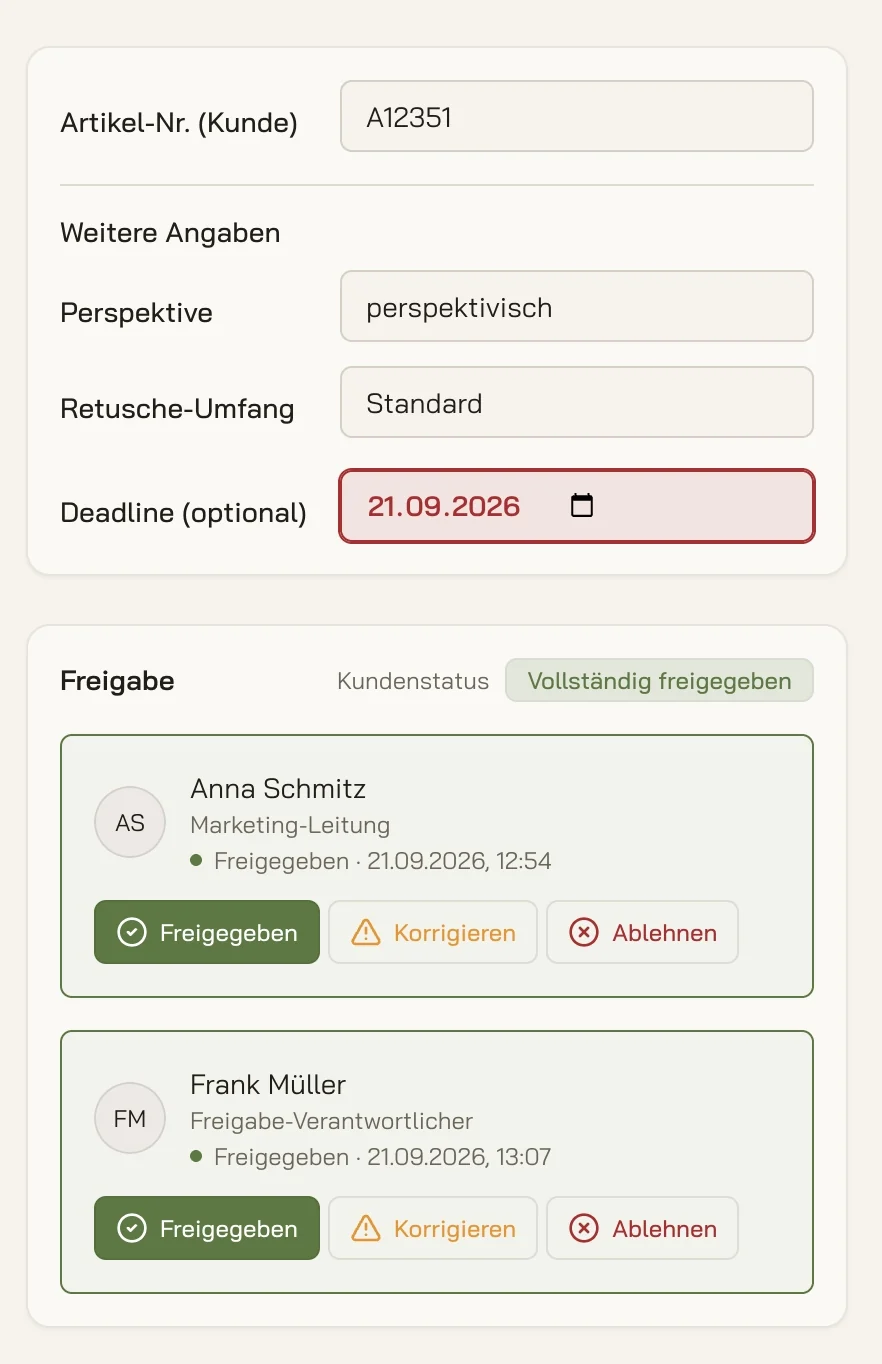
The client approves, requests changes or rejects. You see the status per person with date and time.
What your client
sees in the link.
Only what they are meant to approve: the files of their project, the current version and the history. Internal notes from your team stay internal.
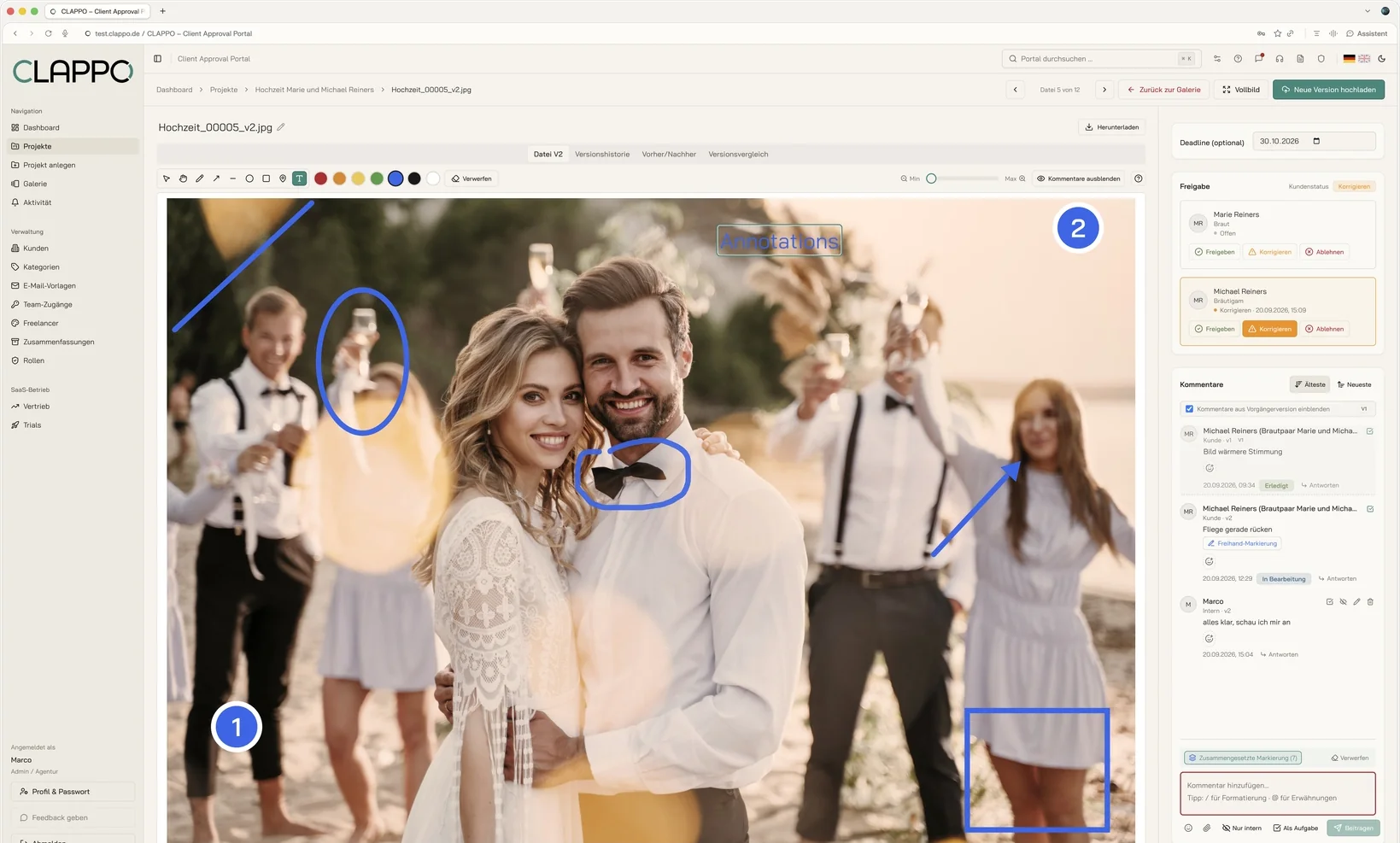
- Comments and markers right on the artwork, including PDFs and videos
- Before-and-after comparison of two versions with a slider
- Approve, request changes or reject, per file
- Invite additional colleagues to the project themselves
Without an account,
approvals come faster.
Every extra sign-up costs time. Someone who only has to open a link reviews today rather than next week.
Your client does not have to remember yet another password. If needed, they simply request a new link.
Feedback no longer arrives by email, phone and chat, but sits right on the correct file.
Secure, even
without a password.
The link is personal and only valid for the invited email address. An approver sees only the projects you have invited them to. Requests for new links are rate-limited to prevent misuse.
All data stays in Germany: servers, database and files at Hetzner, managed by ELMACO.
Asked briefly.
Answered clearly.
Does my client need an account to approve a file?
No. Your client receives a personal link by email and opens the project directly in the browser. They do not have to register or set a password.
What can the client do in the approval link?
They can view files, comment and mark up right on the artwork, compare versions and, for each file, approve, request changes or reject.
Does the client see all my projects?
No. An approver only sees the projects you have invited them to. Internal comments from your team stay invisible to them.
Can several people on the client side approve?
Yes. You can invite several approvers per project. CLAPPO shows for each person whether and when they approved or requested changes.
What happens if the client forgets the deadline?
You set a deadline per project. CLAPPO automatically reminds approvers by email about open approvals before the deadline.
Where are the files stored?
In Germany. Servers, database and files are hosted at Hetzner in Germany, managed by ELMACO.
Can I prove the approval later?
Yes. One click creates a PDF project summary with every file, its approval status, all versions and the comment history with names and dates.
Try it free, no strings attached
14 days.
No risk, no credit card. We set up your trial account personally.
You are not testing in an empty environment: your account comes with sample projects, images, comments and approvals, so you see right away how CLAPPO works day to day.